The MCC Monitoring System That Catches Problems Before Your Clients Do
Most Google Ads agencies find out about account problems when a client emails. Here's the monitoring system that flips that — you know before they do, every time.
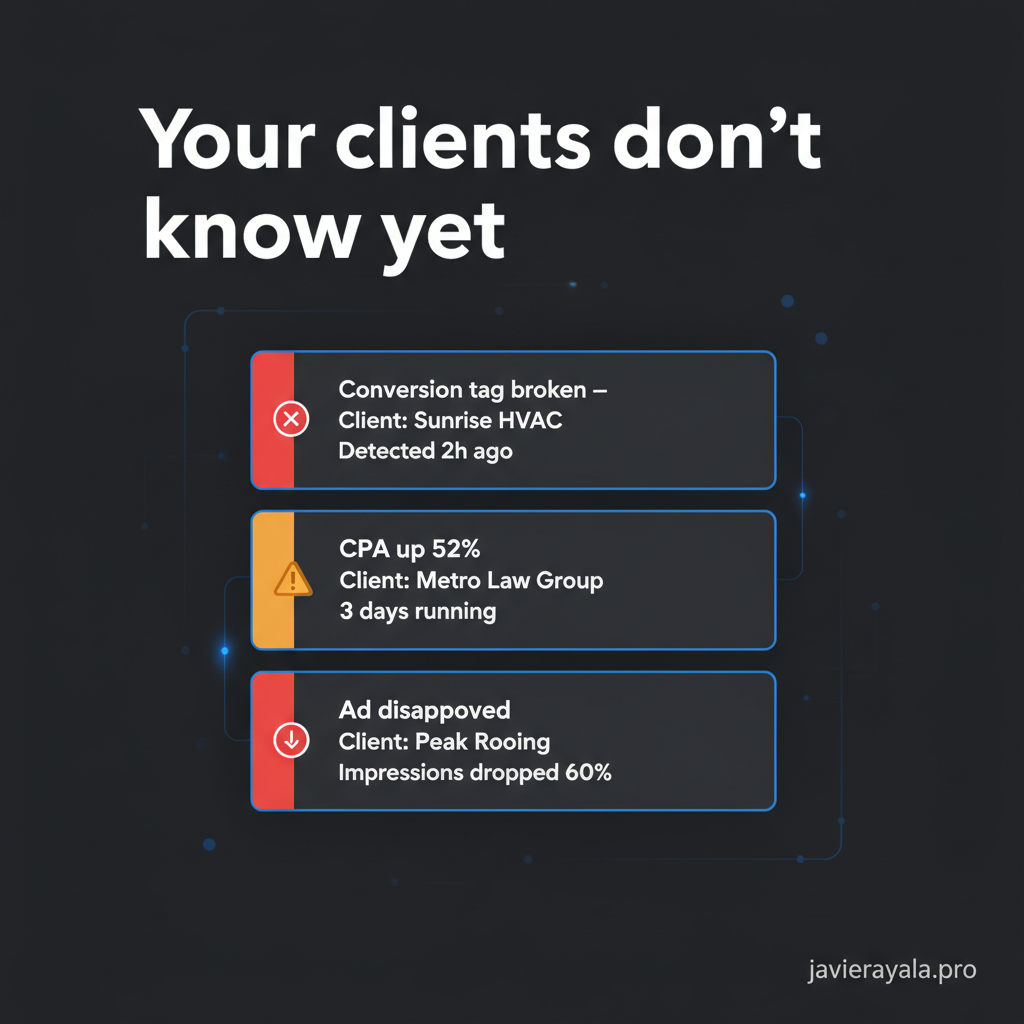
There are two types of conversations a Google Ads agency has with clients about problems. If you're still building your monitoring setup, start with the overview of how agencies are using AI to manage 20+ accounts — this post goes deeper on the system itself.
The first one starts with your email: "We noticed something in your account this morning — here's what we found and here's what we already fixed."
The second one starts with their email: "Hey, what's going on with our ads? Our leads have dropped off and the CPA looks terrible."
The first one builds trust. The second one starts the churn clock.
The only difference between the two is whether you found the problem first. And whether you find it first is entirely a function of your monitoring system — not your skill level, not your experience, not how much you care about the client.
Why Agencies Always Find Out Last
The standard agency workflow is reactive by design, even if nobody calls it that.
You schedule weekly account reviews. You open the dashboard, check the main metrics, scan for anything obviously wrong, maybe pull the search term report, adjust a few bids. You move to the next account. Fourteen accounts later, you've done your reviews for the week.
The problem is that Google's systems don't operate on a weekly cadence. Smart Bidding adjusts every auction. Auto-applied recommendations can modify your campaigns any day without notification unless you've disabled them. A website developer pushes a change that breaks the conversion tracking tag — and from that moment, every conversion that should have been counted disappears silently while your campaign keeps spending.
By the time your weekly review catches it, 7 days of data is gone. The client's monthly report shows a conversion cliff and no good explanation. You're now in a defensive posture explaining something you should have caught Tuesday.
What a Real Monitoring System Actually Checks
A monitoring system isn't a dashboard you log into. It's a set of automated checks that run daily across every account in your MCC and surface anomalies to you — not the other way around.
Here's what it needs to cover:
Conversion tracking health — daily. For every active conversion action in every account: is it firing? If you haven't audited your conversion tracking setup recently, that's the first place to look. Has the daily conversion count dropped more than 30% compared to the same day last week with no corresponding drop in clicks? A sudden conversion drop with stable traffic is almost always a broken tag, not a market change. This needs to be caught same-day, not next-review-day.
CPA drift — rolling 7-day window. Not a single-day spike — those happen from normal variance. Understanding how Smart Bidding works helps you distinguish algorithm learning from genuine deterioration. The signal is a sustained upward trend over 5–7 days in a specific campaign. A CPA that's climbed 40% over a week in a campaign that was stable for 60 days before that is a real problem, not noise. The system should flag it when it crosses a threshold, not when it's already 80% higher and the client noticed.
Ad approval status — same day. An ad that goes from approved to disapproved means impressions from that ad drop to zero immediately. In campaigns with 2–3 ads per group, this can cut impression share significantly. Google sends an email, but it goes to the account email, not your phone, and it's easy to miss across 20 accounts. The monitoring system should surface this within hours.
Auto-applied recommendations — within 24 hours. Google's auto-apply feature will change bid strategies, expand keyword match types, add new keywords, and modify ad copy — all automatically, all silently, if auto-apply is enabled on any level of the account. Many accounts inherited from other agencies have some version of this on. The system catches what changed and flags it before it compounds.
Budget pacing anomalies. Two failure modes here. First: a campaign hitting its daily or monthly budget cap and going dark for hours or days — common when campaign budgets aren't adjusted after a month with more days of high spend. Second: a campaign dramatically underpacing its budget because of a targeting or bidding issue that's limiting reach. Both cost the client and both are invisible without daily monitoring.
Quality Score drops on key campaigns. A Quality Score drop on your highest-spend keywords signals that Google's algorithm has downgraded the relevance of your ads or landing pages. Left unaddressed, it raises CPC without raising conversion rate — pure margin compression for the client. Catching it early means you can diagnose and fix it before it affects the monthly numbers.
Three Ways to Build This System
You don't need a custom software build to have this. Three options exist, depending on your portfolio size and technical resources:
Google Ads Scripts (free, requires code). Scripts run inside your MCC and can execute logic across all child accounts simultaneously. A well-written script can check conversion health, flag CPA drift, detect ad disapprovals, and send email alerts — all for free. The tradeoff is maintenance: when Google updates its API or your account structure changes, someone needs to update the script. If you have a developer or can write basic JavaScript, this is the highest-leverage option at zero cost.
Optmyzr or similar PPC management platforms ($250–$500/month). Purpose-built for multi-account monitoring. Rule-based alerts, no code required, works across your full MCC. The limitation is that you're constrained by the rules the platform supports — you can't build custom logic. For most agencies under 30 accounts, this is the right starting point.
Custom API integration (highest cost, highest flexibility). For agencies managing 30+ accounts with complex monitoring needs — custom attribution, cross-account anomaly detection, Slack integration, client-facing dashboards — a system built on the Google Ads API gives you exactly the logic you need. Setup cost is higher but the output is a system that fits your workflow exactly, not a general tool you're adapting to your use case.
The Conversation That Wins Clients Back
Here's something agencies underestimate: the monitoring system isn't just an operational tool. It's a sales asset.
When a prospective client asks "how do you manage accounts?" and you walk them through a weekly review process, they nod and move on. When you tell them "we have an automated system that scans every account in our portfolio daily — conversion health, CPA drift, ad approvals, budget pacing — and alerts us to anomalies within hours, not days," they stop and ask how that works.
Because that answers the question they never ask directly: is anyone actually watching my account between our monthly calls?
The answer is usually no. Agencies are reactive. They review, report, and respond. A proactive monitoring system is a genuine differentiator — not a marketing claim, but an operational reality that shows up in the quality of the conversations you have when something goes wrong.
You're not apologizing. You're briefing.
What to Do This Week
If you're managing 5 or more accounts and you don't have daily automated monitoring on conversion tracking health across your MCC, that's the first thing to fix. A broken conversion tag on one account, undetected for two weeks, will cost you more in client trust than the tag was worth in data.
Start there. Build a script or set up a rule in your platform of choice that checks daily conversion volume per account and sends you an alert if any account drops more than 30% day-over-day. That single check, running every morning, changes your posture from reactive to proactive on the most common and most damaging issue in Google Ads account management.
If you want to see what a full daily monitoring pass finds across your current MCC — conversion health, CPA drift, flagged campaigns — message me directly. I'll run a free scan on your portfolio and show you specifically what it surfaces. No pitch — just the data.
Get a Free AI Scan of Your Google Ads
Enter your email and I'll connect directly to your account — then show you exactly where your budget is going, what's wasting spend, and what to fix first.